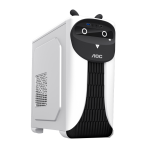
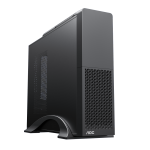
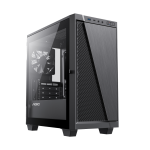
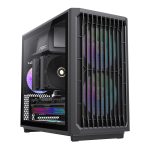
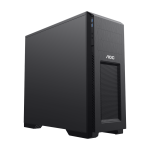
For many DIY PC-building beginners, cable management is often one of the most frustrating challenges. Messy cables not only ruin the aesthetics of the case but also obstruct airflow, reduce system stability, and even increase the risk of hardware failure. However, choosing a well-designed case can significantly simplify cable management, keeping your PC interior neat and organized.
AOC cases are specifically designed to help beginners organize cables effortlessly with smart cable routing layouts, spacious cable management areas, and convenient fixing solutions. Say goodbye to the dreaded ‘cable hell’ and enjoy a smooth and hassle-free building experience!

I. Why Is Cable Management Crucial for Your PC?
Before we dive into how AOC cases simplify cable management, let’s first understand why it’s essential for any PC build.
1. Enhances Aesthetics
A tangle of messy cables makes the inside of your case look unorganized and chaotic. With the growing popularity of tempered glass side panels, clean cable management is crucial to achieving a sleek and professional-looking build.
2. Optimizes Airflow for Better Cooling
Poor cable management can block airflow inside the case, preventing heat from dissipating efficiently. This can lead to higher temperatures, performance throttling, and even long-term hardware damage. A well-managed cable setup ensures optimal airflow and keeps temperatures under control.
3. Simplifies Hardware Upgrades and Maintenance
When upgrading or replacing components like SSDs or GPUs, messy cables can make installation difficult. A well-organized cable system makes it easier to access components, reducing the hassle of future upgrades.
II. How AOC Cases Help You Manage Cables with Ease
1. Spacious Cable Management Area Behind the Motherboard
AOC cases provide a generous 20mm to 30mm of space behind the motherboard tray, allowing cables to be neatly tucked away for a clean front view.
Dedicated cable routing channels keep cables organized and prevent tangling.
Sufficient clearance ensures that thick power cables and multiple connectors fit comfortably.
2. Multiple Cable Routing Cutouts for Clean Wiring
AOC cases feature multiple strategically placed cable routing cutouts with rubber grommets, making it easy to guide cables through designated paths without cluttering the main chamber.
Motherboard power cutout: Allows the 24-pin power cable to be neatly routed behind the motherboard.
CPU power cutout: Located at the top of the case, ensuring the 8-pin EPS cable is properly hidden.
GPU power cutout: Positioned near the PCIe slots to keep GPU power cables tidy.
3. Velcro Straps & Cable Tie Mounts for Secure Management
AOC cases come with multiple tie-down points and Velcro straps, making it easy to secure cables and keep everything in place.
Evenly distributed tie-down points for flexible cable routing.
Reusable Velcro straps for hassle-free adjustments compared to traditional zip ties.
4. Power Supply Shroud for Hiding Excess Cables
Non-modular power supplies often leave unused cables dangling inside the case, making it difficult to maintain a clean build. AOC cases feature a dedicated PSU shroud, providing a concealed area to store excess cables out of sight.
Large PSU chamber: Compatible with most ATX power supplies while allowing extra cables to be tucked away.
Thermal isolation: Separates PSU heat from other components for better cooling efficiency.
III. Cable Management Tips: Build Like a Pro, Even as a Beginner
1. Plan Your Cable Layout Before Installing Components
Before plugging in cables, plan the routing path for your motherboard power, GPU power, SATA cables, and front panel connectors to avoid tangling later.
2. Utilize the Back Panel for Hidden Cable Routing
AOC cases provide dedicated cable channels behind the motherboard, so make full use of them to keep cables out of sight.
3. Secure Cables Using Tie Points and Velcro Straps
Keep cables tight and organized using built-in cable tie mounts to prevent them from obstructing airflow.
4. Consider a Modular Power Supply for Cleaner Builds
If possible, opt for a modular power supply, which allows you to use only the necessary cables, reducing clutter and making cable management even easier.
IV. Who Should Choose an AOC Case?
1. PC-Building Beginners
AOC cases are designed for easy cable management, making them a great choice for first-time builders who want a hassle-free experience.
2. Users Who Want a Clean and Tidy Setup
If you appreciate a minimalist, well-organized build, AOC cases provide all the tools needed to keep cables hidden and neat.
3. RGB Enthusiasts
Messy cables can interfere with lighting aesthetics. AOC cases help highlight RGB components by keeping cables out of the way.
4. Frequent Upgraders
If you frequently swap out components, a well-managed case makes upgrades faster and smoother without dealing with tangled wires.
Conclusion: AOC Cases Help You Escape ‘Cable Hell’ with Ease!
With ample cable management space, multiple routing cutouts, tie-down points, and a PSU shroud, AOC cases make cable management easy, even for beginners. Not only does a clean setup improve cooling and aesthetics, but it also simplifies hardware upgrades.
If you’re planning to build a PC and want a stress-free way to keep cables organized, an AOC case is an excellent choice to enhance your building experience!