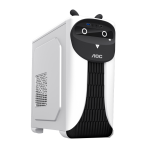
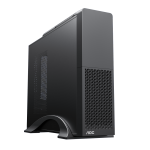
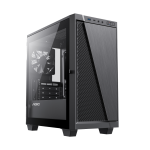
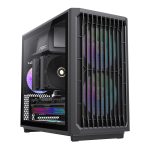
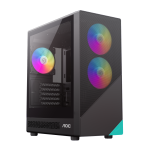
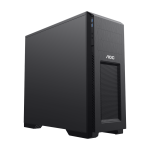
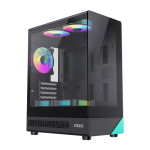
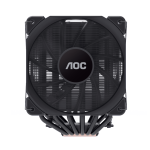
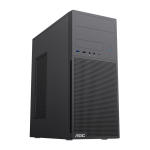
When it comes to building a custom PC, selecting the right case is one of the most crucial decisions. The case not only dictates the aesthetics of your setup but also influences the overall performance, cooling, and even the noise level of your system. Among the many choices available, AOC PC cases have garnered attention for their design, functionality, and value for money. This article explores everything you need to know about AOC PC cases, addressing common user concerns and providing valuable insights for anyone considering assembling their own custom computer.

1. Why Choose an AOC PC Case for Your Build?
AOC, a well-known brand primarily recognized for its monitors, has extended its expertise to designing PC cases. Known for combining aesthetics with functionality, AOC cases are engineered to meet the needs of gamers, content creators, and PC enthusiasts. Here's why AOC PC cases stand out:
Build Quality and Durability: AOC PC cases are crafted using high-quality materials, ensuring durability and robustness. The cases are built to protect sensitive components from external damage while offering a sturdy platform for assembling high-performance systems.
Efficient Airflow and Cooling: One of the key considerations when building a custom PC is ensuring adequate cooling. AOC cases are designed with efficient airflow systems that accommodate various cooling configurations. Whether you're using air cooling or liquid cooling solutions, AOC cases provide sufficient space for cooling fans and radiators.
Aesthetic Design: AOC cases offer sleek and modern designs, often featuring tempered glass side panels and RGB lighting options. These design elements not only enhance the visual appeal of your PC but also reflect the aesthetic preferences of many gaming and tech enthusiasts.
Value for Money: AOC provides a balance between performance and cost, offering PC cases that cater to a range of budgets. Whether you're building a high-end gaming rig or a budget-conscious workstation, AOC has a solution that provides both quality and value.
2. Choosing the Right AOC PC Case for Your Needs
When choosing an AOC PC case, it’s important to consider several factors to ensure it meets your needs. Here are the most important aspects to think about:
a. Size and Form Factor
AOC offers PC cases in various form factors, from compact micro-ATX to full ATX and even larger E-ATX models. The form factor of the case determines the size of the motherboard it can accommodate and influences the number of components you can install.
Mini-ITX / Micro-ATX: Ideal for compact builds, these cases are perfect if you’re looking for portability or have limited space. However, they may offer fewer options for expandability in terms of storage devices or additional cooling solutions.
Mid Tower: The most common and versatile case form factor, mid-tower cases support a variety of motherboard sizes, including ATX, micro-ATX, and Mini-ITX. These cases typically provide a good balance of size, cooling options, and upgrade potential.
Full Tower: If you're building a workstation or a high-end gaming rig with multiple GPUs, large storage systems, and extensive cooling setups, full towers offer ample space for expansion. AOC’s full-tower options provide room for additional components, making them suitable for advanced users.
b. Cooling Support
Cooling is vital for ensuring the stability and longevity of your PC components. AOC PC cases are designed with ample space for cooling solutions, whether you're using air cooling or liquid cooling. Here’s what you should look for:
Air Cooling: Most AOC cases come with space for multiple fans at the front, top, and rear. The more fan mounting points available, the better the airflow potential for your system. Ensure the case has adequate space for the number of fans you intend to install, and consider whether it has dust filters to prevent dust build-up inside the case.
Liquid Cooling: For users who plan to use water cooling, AOC cases often support both 120mm and 240mm radiator mounts, with some models even offering space for 360mm radiators. If you're opting for liquid cooling, make sure the case provides sufficient room for both the radiator and the cooling reservoir/pump.
c. Cable Management
A well-organized system is not only visually appealing but also functional. AOC cases generally feature cable management channels and tie-down points, which help keep cables neatly organized and out of airflow paths. Proper cable management improves airflow and cooling efficiency, reducing the likelihood of overheating components.
Look for a case that offers adequate space behind the motherboard tray for routing cables, as well as cable grommets and hooks to secure cables neatly.
d. Expandability
The number of expansion slots and storage bays is another key factor to consider when selecting a case. AOC PC cases typically feature multiple drive bays for HDDs and SSDs, which gives you flexibility in terms of storage options.
Drive Bays: Depending on your storage needs, you may require extra 3.5-inch or 2.5-inch drive bays. Make sure the case you choose has enough room to house your storage drives, especially if you're building a system that needs substantial data storage.
PCIe Expansion Slots: If you're using multiple GPUs or other expansion cards, check how many PCIe slots are available in the case. Full tower cases usually have more expansion slots, while smaller cases may limit the number of cards you can install.
3. Common Questions About Building with AOC PC Cases
a. How Easy Is It to Build a PC with an AOC Case?
AOC designs its cases to be user-friendly, making the assembly process as straightforward as possible. Many models come with tool-less drive bays and easy-to-access mounting points for fans and components. Additionally, some AOC cases feature removable panels and pre-installed standoffs, which simplify the installation of the motherboard.
b. Do AOC PC Cases Have Good Noise Control?
AOC's cases are equipped with features that help reduce noise. Many of their cases come with sound-dampening materials and sealed fan mounts to minimize vibrations. If you're particularly sensitive to noise, look for AOC models that feature extra noise-reducing panels or consider investing in quiet fans to complement the case.
c. Are AOC Cases Compatible with High-End Graphics Cards?
Yes, AOC PC cases are designed to be compatible with the latest and most powerful graphics cards. Whether you're using a single GPU setup or a multi-GPU configuration, AOC cases offer ample space to fit large, high-end graphics cards without obstruction. Be sure to check the maximum GPU length supported by the case before purchasing, especially if you’re using oversized models.
Building a custom PC is an exciting process, but choosing the right case is essential for ensuring that your components stay cool, organized, and safe. AOC PC cases offer a combination of stylish design, efficient cooling options, and user-friendly features that make them a top choice for both beginners and seasoned PC builders. With a range of sizes, cooling options, and expandability features, AOC provides solutions for all kinds of builds, whether you're assembling a gaming rig, a content creation workstation, or a powerful all-around PC. By considering factors like form factor, cooling support, cable management, and expandability, you can make an informed decision and build a system that meets your needs and performance expectations.